Releasing version 25
Agama 25 is here, and while it does not carry any single headline feature, it bundles a handful of changes requested by users and some groundwork for what is coming next.
This is the first release after openSUSE Leap 16.1, starting the work toward Tumbleweed, Slowroll, and Leap 16.2.
Let's see what's new.
A web-based terminal
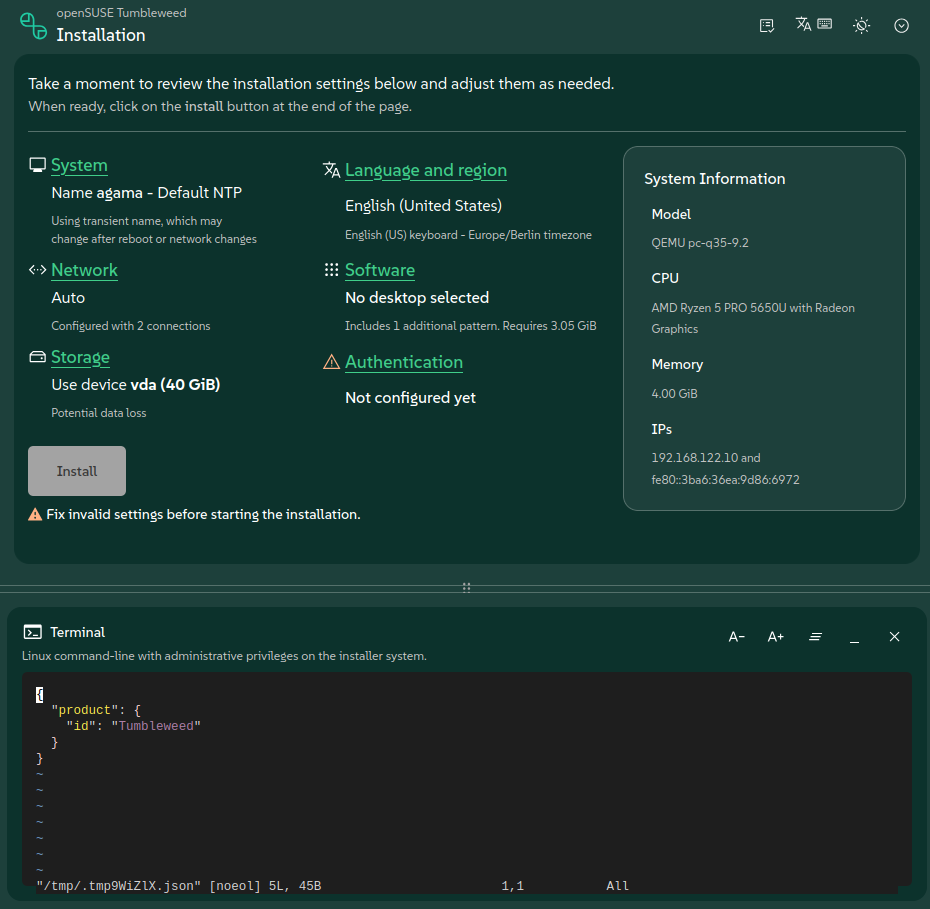
Agama's web UI now features an actual terminal. Until now, if you needed a shell on the system you
were installing, your options were limited to switching to a different virtual console (e.g.
Ctrl+Alt+F8) if you had local access, or connecting through SSH.
Now you can just open a terminal from the comfort of Agama's web UI, without leaving the browser.
Leaving before it's too late
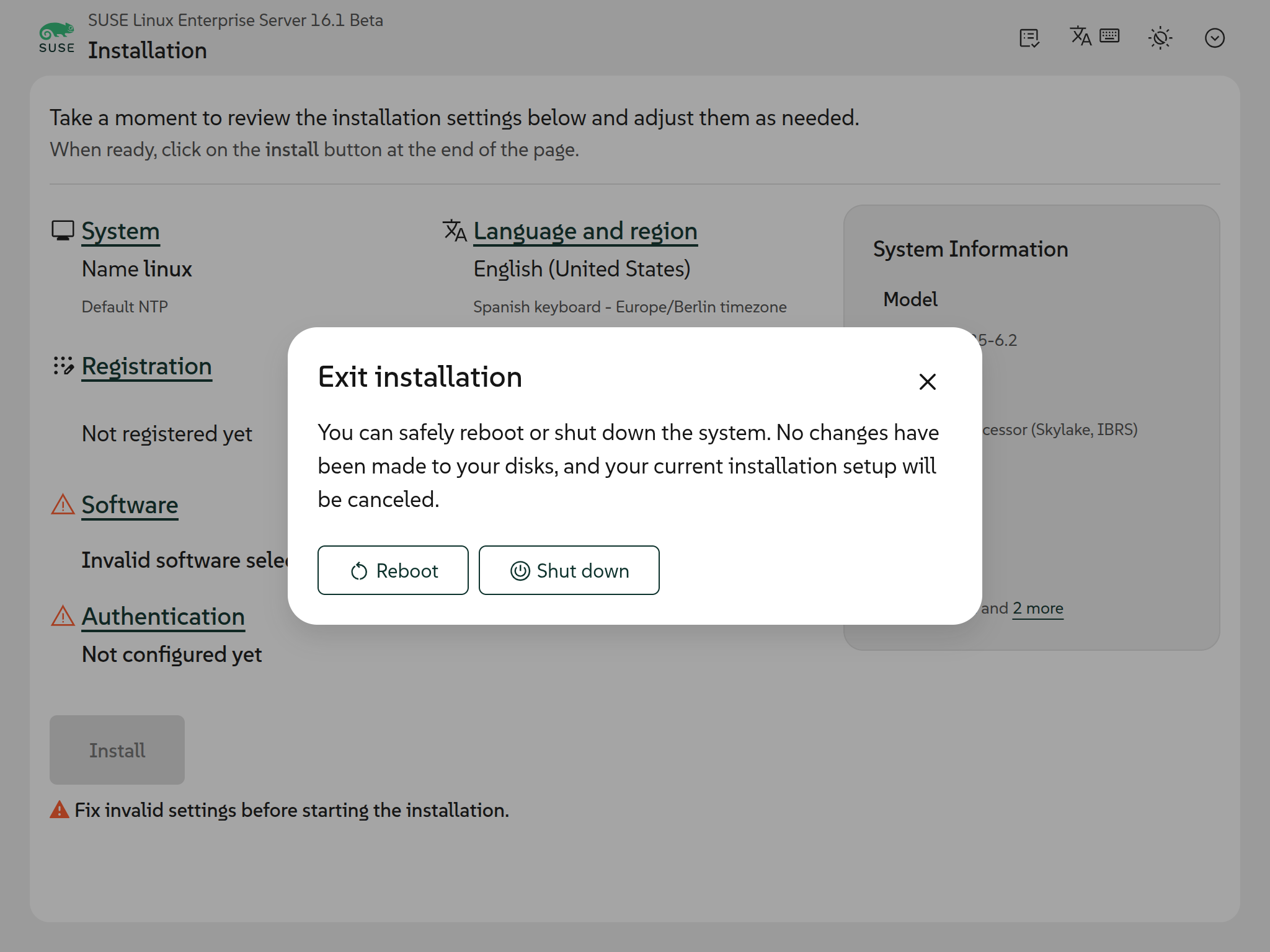
As several users requested, Agama now offers an exit option. You will find it from the very beginning of the process, letting you reboot or shut down the machine if you change your mind.
It is important to note that the option is only available before the installation starts: cancelling while Agama is already applying changes to the system could leave it in an unpredictable and potentially unbootable state, so the exit option disappears as soon as the installation is underway.
Enhanced port selection
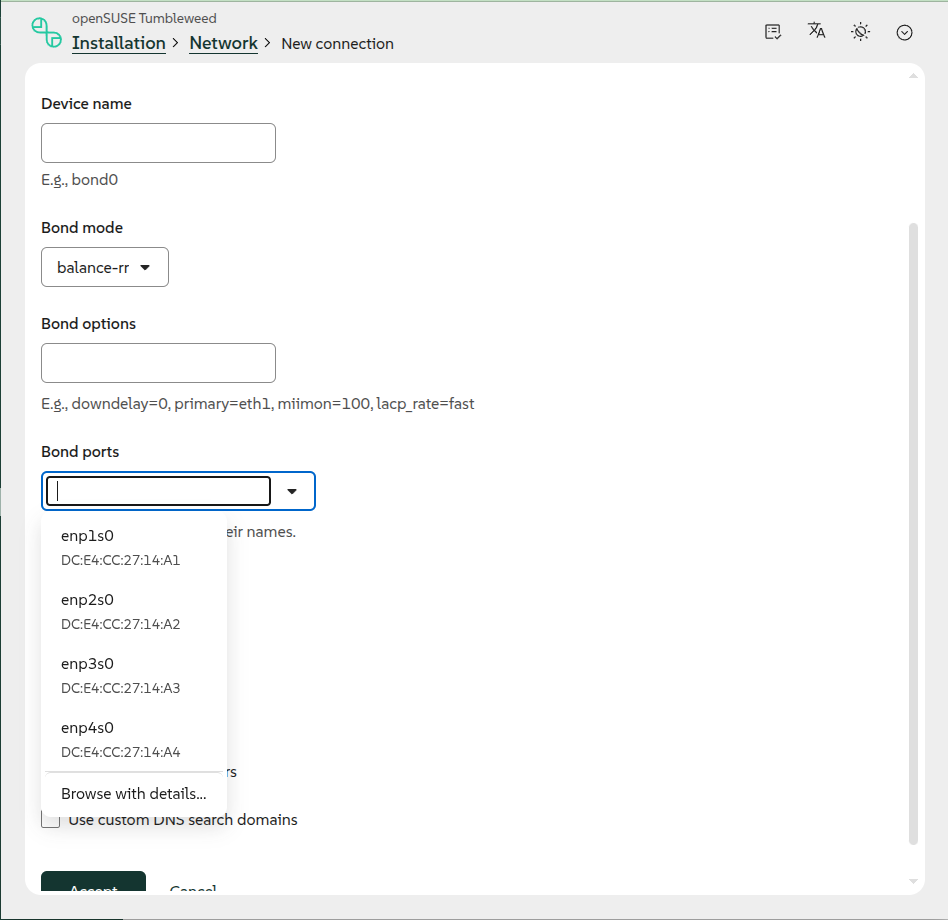
Until now, the ports of a bond or a bridge had to be typed by hand in a free-text field, with only a line listing the existing device names as a hint. A typo was silently accepted, and the field did not scale well past a handful of NICs.
In Agama 25, the ports selection uses a searchable multi-select field instead: the devices found in the system are offered in a list you can filter as you type, and a name can still be written out by hand for a device that is not present in the system yet.
Towards Tumbleweed adoption
Behind the scenes, we keep working with the Tumbleweed maintainers to make Agama the installer for the distribution. There is still no date for that to happen, but we are getting closer. Recent examples of that effort are adjusting the registration support and 32-bit media build and adding riscv64 support, the latter contributed by Andreas Schwab.
Cutting ties with YaST packages
Agama was born on top of several YaST packages, reusing logic that was already there instead of rewriting it from scratch. We are now reducing that reliance, bringing into Agama's own codebase just the parts it actually needs instead of pulling in whole YaST modules. So far this effort covers the AutoYaST-related code, and more areas will follow.
Polishing and publishing our OpenAPI and JSON schemas
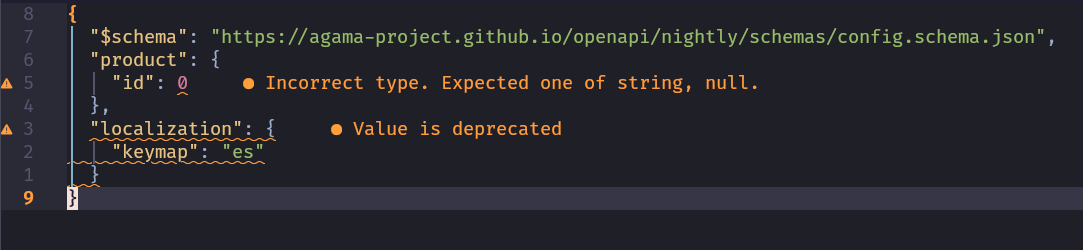
Agama exposes its HTTP API through an OpenAPI specification and validates its configuration and profile files against JSON schemas. We have been polishing both and, more importantly, publishing them with stable URLs at Agama's documentation site.
Having them published this way is useful well beyond Agama itself: it allows other tools to generate
clients, validate requests, or simply let people browse the API without digging through the source
code. The JSON schemas are useful on their own too. For instance, adding a "$schema" key pointing
to the right schema at the top of your AutoYaST-like profile or configuration file is enough for
many editors to offer autocompletion and inline validation as you type.
Keep in touch
On top of all that, we have also been busy with a bunch of smaller fixes and improvements that did
not make it into this post, like reporting more details about network devices or setting
systemd-boot as the default bootloader for MicroOS.
As always, you can take a look at the project at GitHub or
drop by the #yast channel at Libera.chat if you have questions, feedback
or just want to say hello.
Stay tuned!